IP Access Control is available on request. Contact support to enable it for your organization.
IP Access Control restricts access to your organization to a list of approved IPv4 ranges. The policy applies across all authenticated endpoints, including Nextmv Console and the programmatic API, and covers both interactive sessions and programmatic credentials such as API keys. Requests from any IPv4 address that do not match a rule are denied. This policy is enforced on the root organization and on all of its sub-organizations.
The Nextmv API and Console accept IPv4 connections only. IPv6 traffic is rejected at the edge regardless of policy configuration.
The policy does not apply to the session gateway used by custom compute integrations. Driver connections from your compute environment to the session gateway are not subject to IP Access Control.
Only admins can view or change IP Access Control. Find it under Team Settings → IP Access Control.
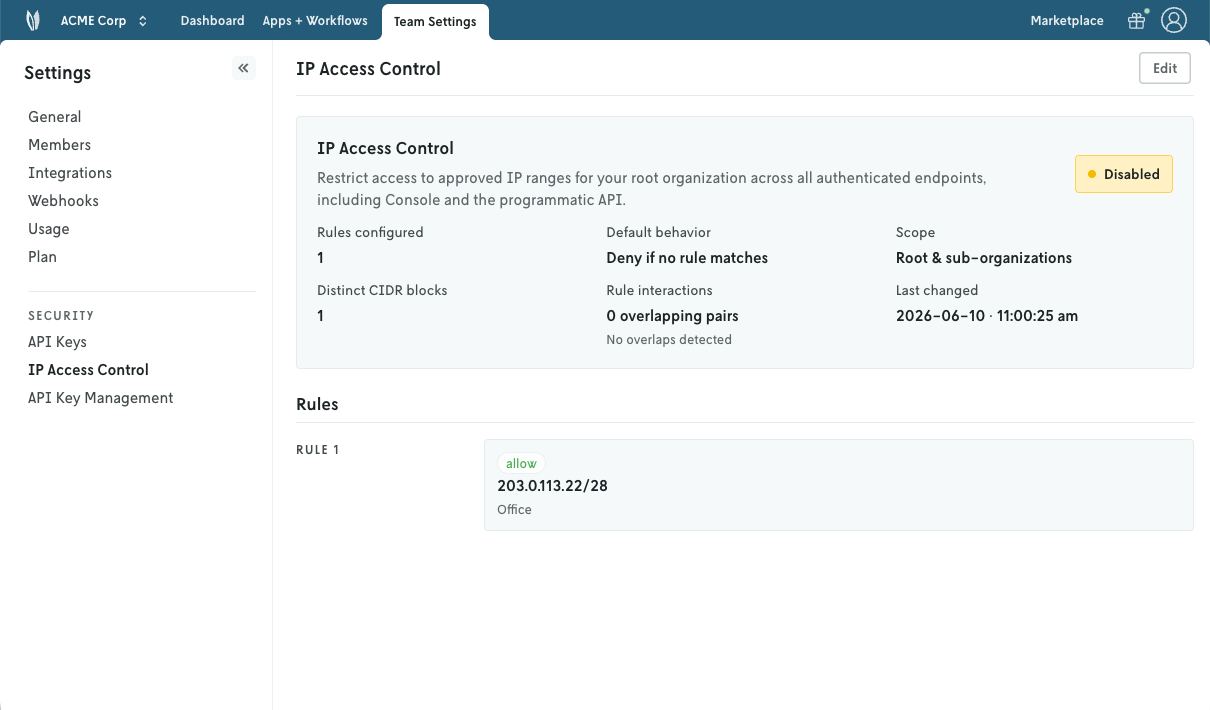
Rules
An allowlist holds up to 100 rules; the limit can be raised on request. Each rule accepts:
- An IPv4 Classless Inter-Domain Routing (CIDR) block.
- A label to describe what the entry covers (for example, an office or a service).
Rule changes take effect almost immediately across the platform.
Source IP determination
The source IP used for policy decisions is the address of the client that established the connection to Nextmv. Forwarded headers supplied by the client (such as X-Forwarded-For) are not trusted and cannot be used to bypass the policy.
Lockout protection and recovery
When saving rules, Console verifies that the change does not lock out the admin making the change and refuses the update if it would. If your organization is locked out through another path, contact Nextmv support to restore access.