Metrics
Metrics allow you to track and "measure" results from your runs. Specifically, metrics are a set of key-value pairs that can contain any information you think is important to track.
Metrics can have an arbitrary nested structure too.
{
    "duration": 1.234,
    "value": 567,
    "solver": {
        "name": "xpress",
        "version": "10.0.0"
    },
    "optimal": true
}
When surfaced correctly, Nextmv will store these metrics and allow you to use them for testing and experimentation. Here are some ways in which metrics are visualized:
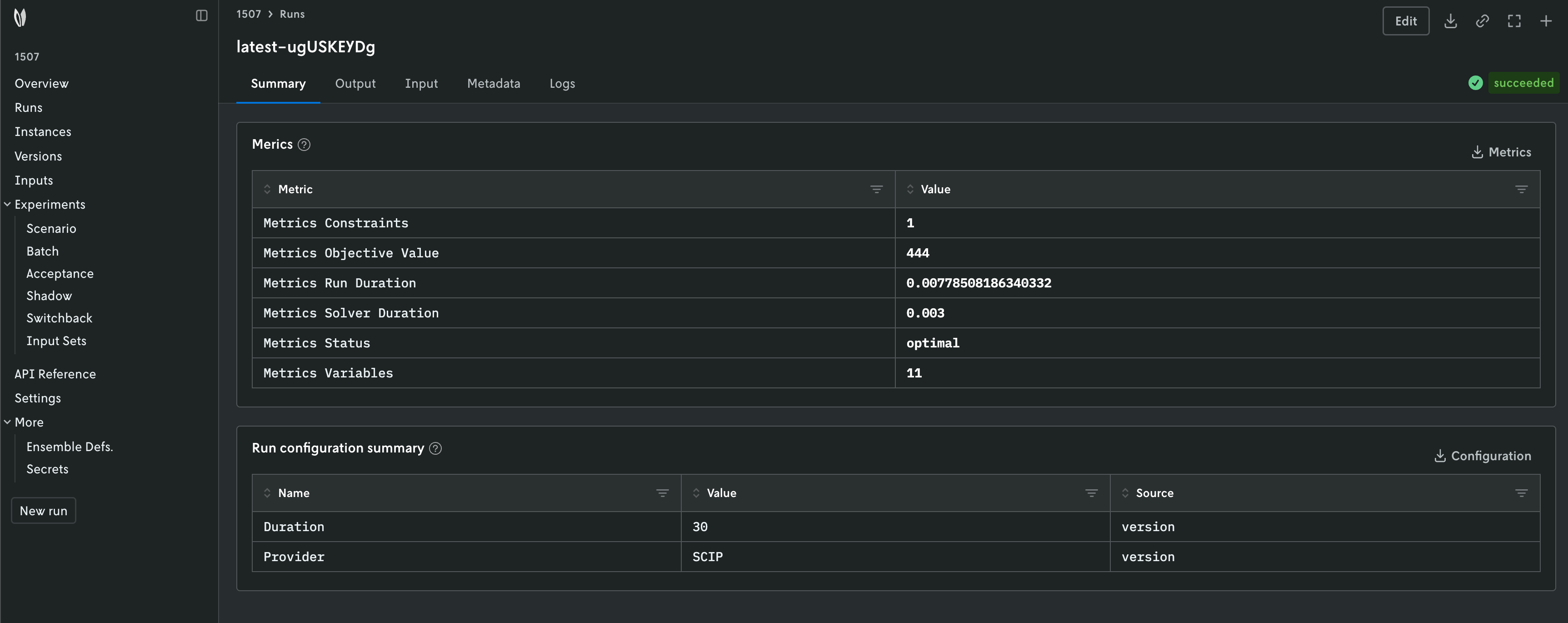
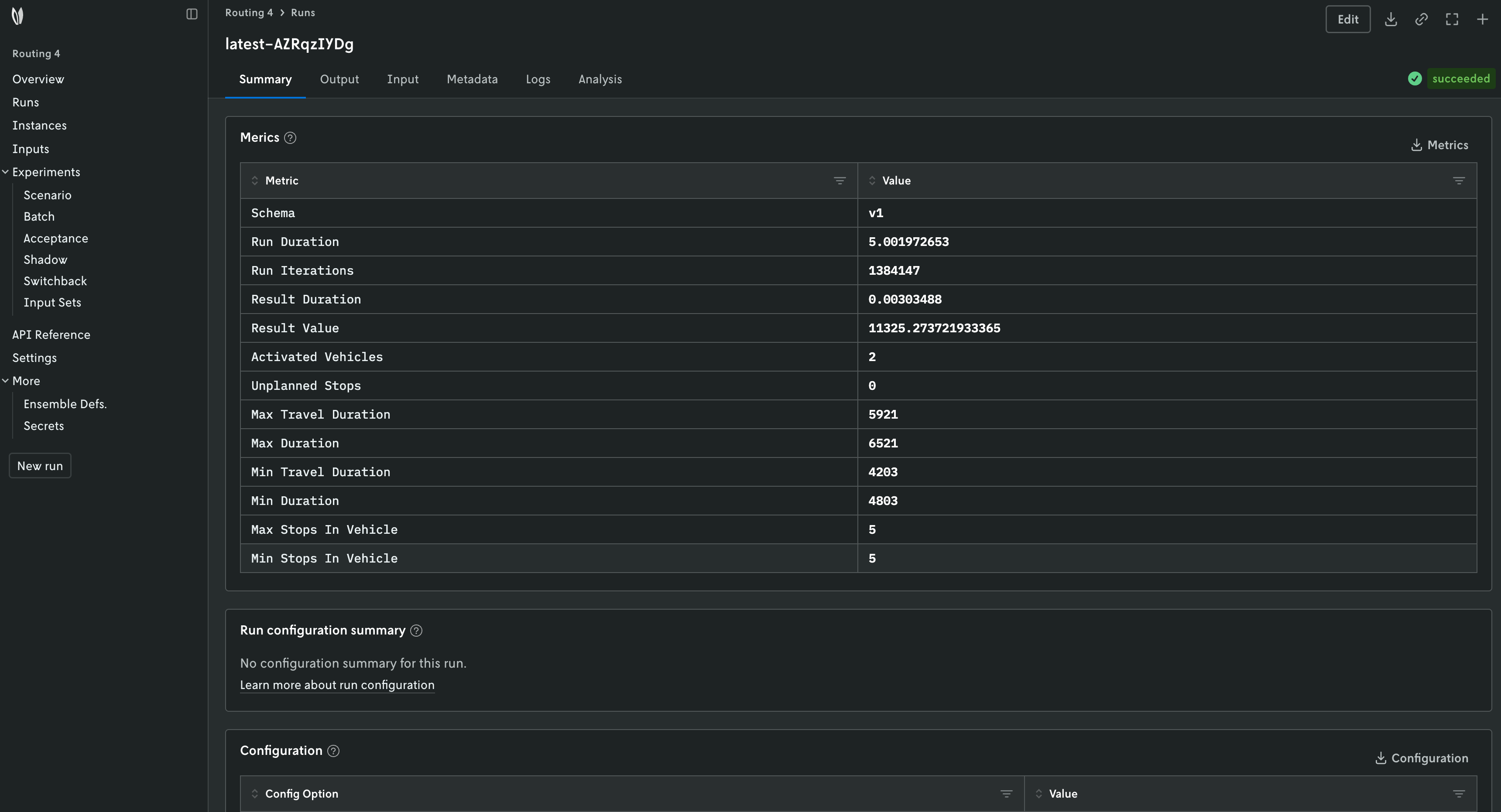
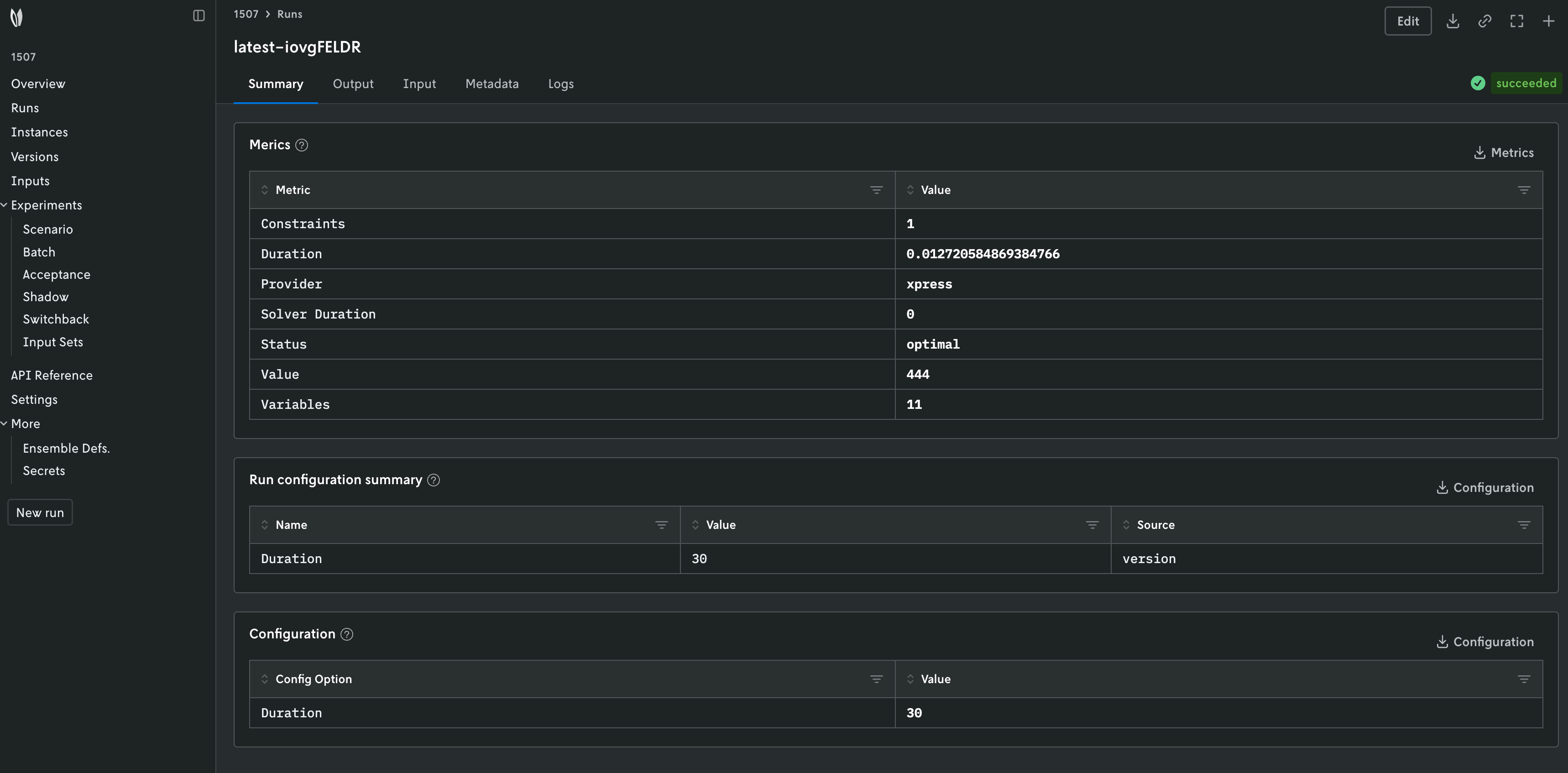
The Summary tab will show the metrics of the run.
When getting the run information, the CLI will show the metrics of the run.
⏳ Getting run information...
{
  "description": "",
  "id": "latest-0ZuDuVYDR",
  "metadata": {
    "application_id": "test-community-app",
    "application_instance_id": "latest",
    "application_version_id": "",
    "created_at": "2026-07-09T18:43:04Z",
    "duration": 4909.0,
    "error": "",
    "execution_class": "6c9500mb870s",
    "execution_duration": 3810.0,
    "format": {
      "input": {
        "type": "json"
      },
      "output": {
        "type": "json"
      }
    },
    "initiated_at": "2026-07-09T18:43:04.992589Z",
    "input_size": 821.0,
    "metrics": { # (1)!
      "constraints": 1,
      "duration": 0.0011775493621826172,
      "solver_version": "1.9.0",
      "status": "HighsStatus.kOk",
      "value": 444,
      "variables": 11
    },
    "options": {
      "active_options": {
        "duration": "30"
      },
      "options_summary": [
        {
          "name": "duration",
          "source": "version",
          "value": "30"
        }
      ]
    },
    "output_size": 923.0,
    "queuing_disabled": false,
    "queuing_priority": 6,
    "run_type": {
      "type": "standard",
      "definition_id": "",
      "reference_id": ""
    },
    "runtime": "python-3_11",
    "status_v2": "succeeded"
  },
  "name": "",
  "user_email": "sebastian@nextmv.io",
  "console_url": "https://cloud.nextmv.io/app/test-community-app/run/latest-0ZuDuVYDR?view=details"
}
- Metrics are part of the metadata of the run.
When getting the run information, the Cloud API will show the metrics of the run.
{
  "description": "",
  "id": "latest-0ZuDuVYDR",
  "metadata": {
    "application_id": "test-community-app",
    "application_instance_id": "latest",
    "application_version_id": "",
    "created_at": "2026-07-09T18:43:04Z",
    "duration": 4909.0,
    "error": "",
    "execution_class": "6c9500mb870s",
    "execution_duration": 3810.0,
    "format": {
      "input": {
        "type": "json"
      },
      "output": {
        "type": "json"
      }
    },
    "initiated_at": "2026-07-09T18:43:04.992589Z",
    "input_size": 821.0,
    "metrics": { # (1)!
      "constraints": 1,
      "duration": 0.0011775493621826172,
      "solver_version": "1.9.0",
      "status": "HighsStatus.kOk",
      "value": 444,
      "variables": 11
    },
    "options": {
      "active_options": {
        "duration": "30"
      },
      "options_summary": [
        {
          "name": "duration",
          "source": "version",
          "value": "30"
        }
      ]
    },
    "output_size": 923.0,
    "queuing_disabled": false,
    "queuing_priority": 6,
    "run_type": {
      "type": "standard",
      "definition_id": "",
      "reference_id": ""
    },
    "runtime": "python-3_11",
    "status_v2": "succeeded"
  },
  "name": "",
  "user_email": "sebastian@nextmv.io",
  "console_url": "https://cloud.nextmv.io/app/test-community-app/run/latest-0ZuDuVYDR?view=details"
}
- Metrics are part of the metadata of the run.
Metrics are surfaced differently depending on the content format. Please refer to each section for further details.
json: Metrics are surfaced under ametricskey in the output.multi-file: Metrics are surfaced under a.jsonfile, whose path is specified in theapp.yamlmanifest.
Info
- All numerical values are interpreted as floating point (IEEE 754) values.
This includes the special string values
"nan","inf","+inf"and"–inf", asJSONdoes not support these values natively. - The maximum size of the metrics object without unnecessary whitespace is 10kb.
json
In the json content format, a JSON object is
received as output and is written to standard out (stdout). This object
must contain a metrics key with the metrics.
Consider the following example from our python-xpress-knapsack community
app. This is the output produced by the application.
{
  "options": {
    "duration": 30
  },
  "solution": {
    "items": [
      {
        "id": "cat",
        "value": 100,
        "weight": 20
      },
      {
        "id": "water",
        "value": 40,
        "weight": 2
      },
      {
        "id": "phone",
        "value": 6,
        "weight": 1
      },
      {
        "id": "book",
        "value": 63,
        "weight": 10
      },
      {
        "id": "rx",
        "value": 81,
        "weight": 1
      },
      {
        "id": "coat",
        "value": 44,
        "weight": 9
      },
      {
        "id": "keys",
        "value": 92,
        "weight": 1
      },
      {
        "id": "nuts",
        "value": 18,
        "weight": 4
      }
    ]
  },
  "assets": [],
  "metrics": { # (1)!
    "duration": 0.03255510330200195,
    "solver_duration": 0.01,
    "value": 444.0,
    "status": "optimal",
    "variables": 11,
    "constraints": 1,
    "provider": "xpress"
  }
}
- Metrics are surfaced under a
metricskey in the output.
multi-file
In the multi-file content format one or more
files are written to a location specified in the app.yaml
manifest. A .json file must be written to the path specified in
the configuration.content.multi-file.output.metrics property in the
app.yaml. The default value for this property is outputs/metrics.json.
Consider the following code example from our
python-ortools-knapsack-multicsv community app.
type: python
runtime: ghcr.io/nextmv-io/runtime/python:3.11
files:
  - main.py
python:
  pip-requirements: pyproject.toml
configuration:
  content:
    format: multi-file
    multi-file:
      input:
        path: inputs
      output:
        solutions: outputs/solutions
        metrics: outputs/metrics.json # (1)!

# ... The rest of the file is omitted for brevity.
- You can customize the path to the metrics file.
# ... The rest of the code is omitted for brevity.

def main() -> None:
    """Entry point for the program."""

    # ... The rest of the code is omitted for brevity.

    solution_files, metrics = solve(loaded_input, options)
    nextmv.write(solution_files=solution_files, metrics=metrics, options=options) # (1)!


def solve(loaded_input: nextmv.Input, options: nextmv.Options) -> tuple[list[nextmv.SolutionFile], dict[str, Any]]:
    """Solves the given problem and returns the solution and metrics."""

    start_time = time.time()
    nextmv.redirect_stdout()  # Solver chatter is logged to stderr.

    # ... The rest of the code is omitted for brevity.

    # Create metrics.
    metrics = { # (2)!
        "run_duration": time.time() - start_time,
        "solver_duration": solver.WallTime() / 1000,
        "objective_value": solver.Objective().Value(),
        "status": STATUS.get(status, "unknown"),
        "variables": solver.NumVariables(),
        "constraints": solver.NumConstraints(),
    }

    # Create solution files.
    solution_files = [
        nextmv.csv_solution_file("solution", data=chosen_items),
    ]

    return solution_files, metrics


if __name__ == "__main__":
    main()
- Metrics are written to the path specified by the
app.yamlmanifest. - Metrics are created as a flat object with key-value pairs.