Scenario tests
Learn how to run scenario tests with your tool of choice.
- CLI: the Nextmv Command Line Interface (CLI).
- Python SDK: a Software Development Kit (SDK) for Python developers.
- Cloud API: an HTTP API for developers to integrate with the Nextmv platform.
Scenario tests are offline tests used to compare the output from one or more
scenarios. A scenario is composed of:
- An instance: the executable code of the model being tested.
- Input data: can be an input set or a managed input.
- One or more options: a configuration for the run. Also known as parameters or constants.
On top of scenarios, you can configure repetitions, to test for variability in the results.
Scenario tests are generally used as an exploratory test to understand the impacts to business metrics (or KPIs) on situations such as:
- updating a model with a new feature, such as an additional constraint;
- comparing how the same model performs in different conditions, such as low demand vs. high demand;
- doing a sensitivity analysis to understand how the model behaves when changing a parameter.
They can also be used to validate that a model is ready for further testing and likely to make an intended business impact.
To be concise, the test creates a run for each scenario, for all the combinations of repetitions, inputs in the input set, and option sets. For example, imagine you configure these two scenarios:
- Scenario 1: instance
i-1, input sets-1(with 3 inputs) - Scenario 2: instance
i-2, input sets-2(with 2 inputs)
Both scenarios use the same options. If this scenario test was applied 2 repetitions, it would produce the following 15 runs:
| Run # | Instance | Input set | Input ID | Repetition |
|---|---|---|---|---|
| 1 | i-1 |
s-1 |
input_s-1_1 |
0 |
| 2 | i-1 |
s-1 |
input_s-1_1 |
1 |
| 3 | i-1 |
s-1 |
input_s-1_1 |
2 |
| 4 | i-1 |
s-1 |
input_s-1_2 |
0 |
| 5 | i-1 |
s-1 |
input_s-1_2 |
1 |
| 6 | i-1 |
s-1 |
input_s-1_2 |
2 |
| 7 | i-1 |
s-1 |
input_s-1_3 |
0 |
| 8 | i-1 |
s-1 |
input_s-1_3 |
1 |
| 9 | i-1 |
s-1 |
input_s-1_3 |
2 |
| 10 | i-2 |
s-2 |
input_s-2_1 |
0 |
| 11 | i-2 |
s-2 |
input_s-2_1 |
1 |
| 12 | i-2 |
s-2 |
input_s-2_1 |
2 |
| 13 | i-2 |
s-2 |
input_s-2_2 |
0 |
| 14 | i-2 |
s-2 |
input_s-2_2 |
1 |
| 15 | i-2 |
s-2 |
input_s-2_2 |
2 |
Now, consider that you are adding two options to the scenario:
duration: with three possible values of 1, 2, and 3 seconds.iterations: also with three possible values of 32, 35, and 40.
The possible combination of these two options is displayed in the table below:
duration |
iterations |
|---|---|
| 1 | 32 |
| 1 | 35 |
| 1 | 40 |
| 2 | 32 |
| 2 | 35 |
| 2 | 40 |
| 3 | 32 |
| 3 | 35 |
| 3 | 40 |
If we apply these 9 combinations to the 15 runs, we will have a total of 135 runs that can be created for a scenario test.
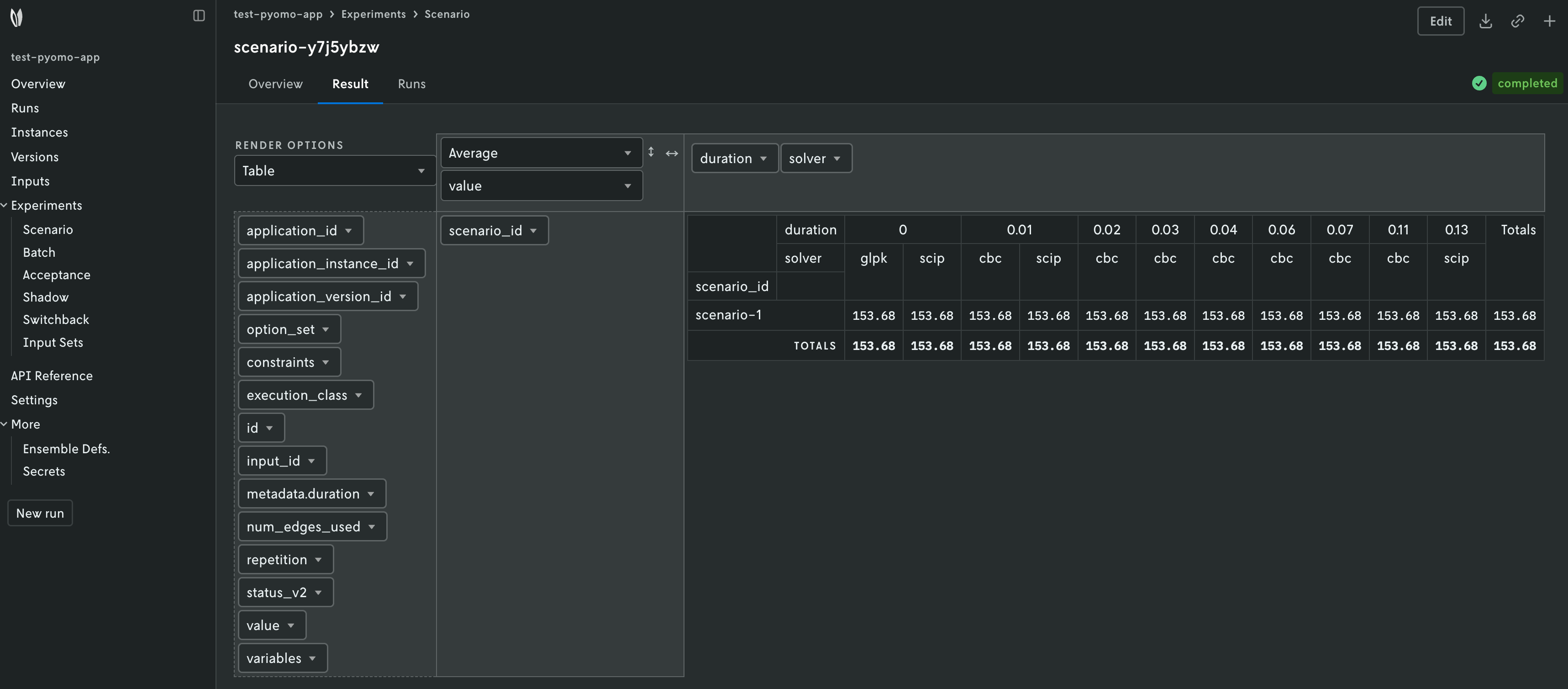
Once the runs are finished, the results are then aggregated and analyzed. The decision model must produce an output that contains metrics, so they can be compared and analyzed.
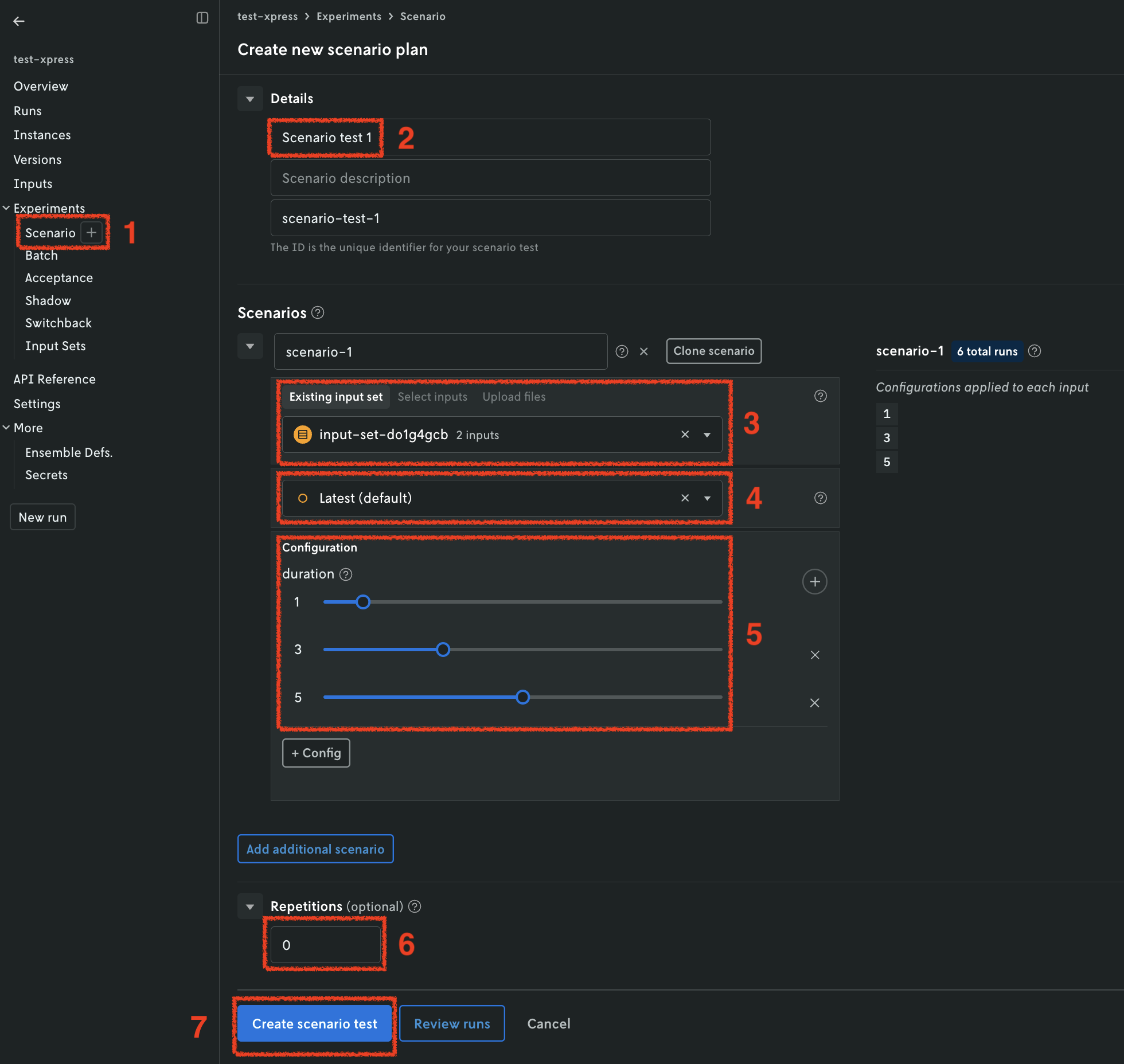
Scenario tests are designed to be started and visualized from the Nextmv
Console. Go to the app, Experiments > Scenario tab.
When using the Console, you will see a view similar to the following when creating a new scenario test. Please direct your attention to the configuration of options for the scenario. This is where you can add the different variations of options that will be applied to each run.